
Racers Guide
Everything you need to get from an invite to the race track. The website is where you sign up, get the game, manage your account and codes; the Racing Legends game client is where you buy, build and race your cars.
1. Get in: invite and sign up
Racing Legends is invite-only during the beta. You need an access code before you can create a racer.
- Go to racinglegends.app. On the I have a code tab, enter your access code and press Continue. No code yet? Use the Request an invite tab: tell us the racer name you want and your Discord username. Staff send the code to your Discord.
- Read the Terms, Code of Conduct and Privacy tabs. Tick that you are at least 13 and accept them, then press Accept & continue.
- Choose Start fresh, type your racer name and press Continue with Discord (recommended). No Discord? Use a password instead (6 or more characters).
- Original 1320 Legends racer? Choose Blast from the past to look up your old handle and send a claim for staff review. Coming from another revival server? Choose Migrate (see Bring your garage below).
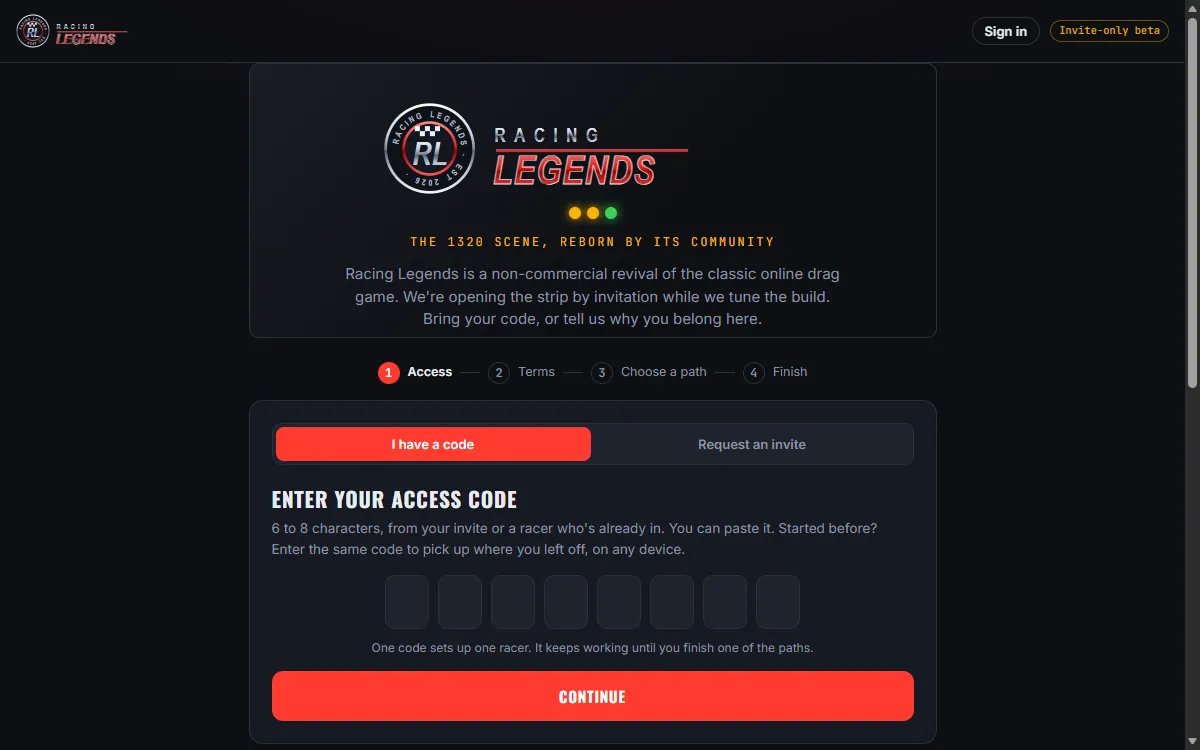
Entering the same access code again resumes your sign-up on any device.
2. Sign in to the website
After signing in you land on your home page: your car, recent races, the game download, your Discord and Telegram links, the store and your codes.
- Sign in with Discord: one click once your racer is linked to Discord. Nothing to remember.
- Telegram: the Telegram button works once you have linked Telegram on Edit profile.
- Racer name and password: choose Sign in with racer name and password instead.
3. Download and install the game
The game runs on Windows. Download links appear only after you sign in.
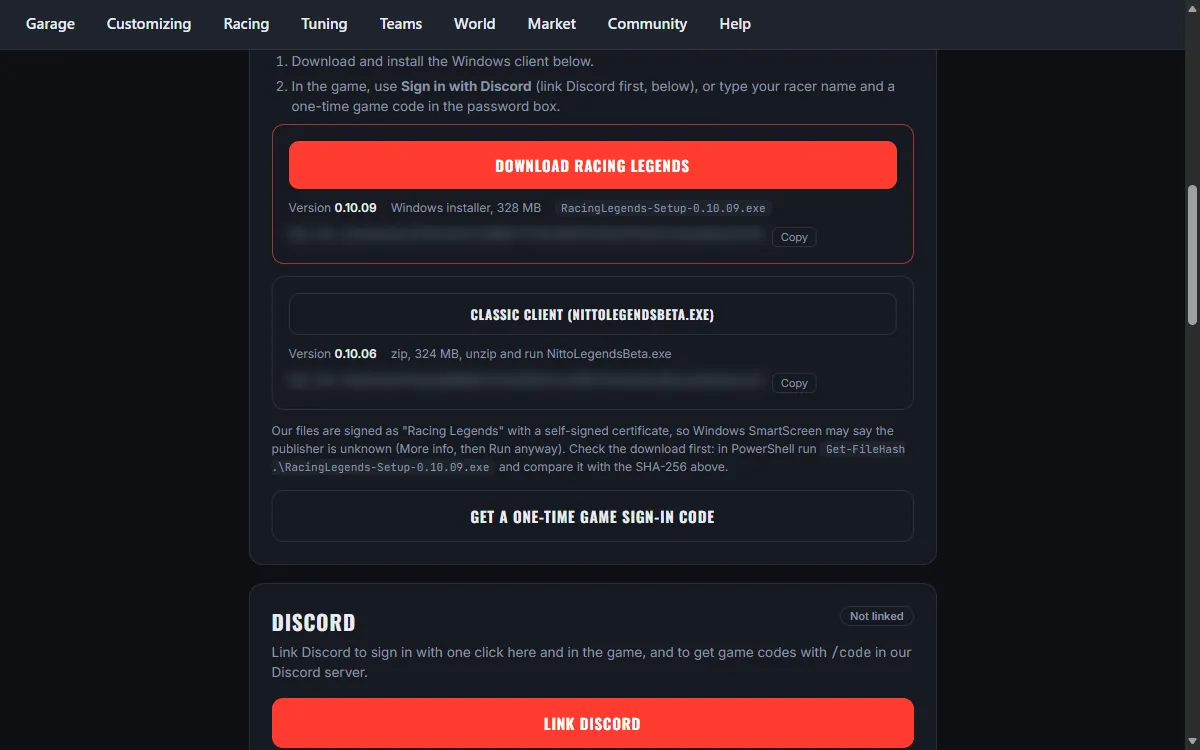
- On your home page, under Get in the game, press Download Racing Legends. This is the Windows installer.
- Optional: compare the SHA-256 shown under the button with the file you downloaded (in PowerShell: Get-FileHash and the file name).
- Run the installer. If Windows SmartScreen says it protected your PC, choose More info, then Run anyway.
- When it finishes you have a Racing Legends shortcut on the desktop and in the Start menu.
A Classic client zip is also offered for racers who prefer to unzip and run. Use the installer unless staff ask you otherwise.
Connection or install trouble? See Connection help.
4. Keep the game up to date
- Always start the game from the Racing Legends shortcut. It checks for an update first, downloads only the files that changed and then opens the game.
- Racing Legends (skip update check) in the Start menu starts the game without checking. Use it only if staff ask you to.
- Something broken after an update? Run the normal shortcut again: it repairs changed or missing files.
5. Log in to the game
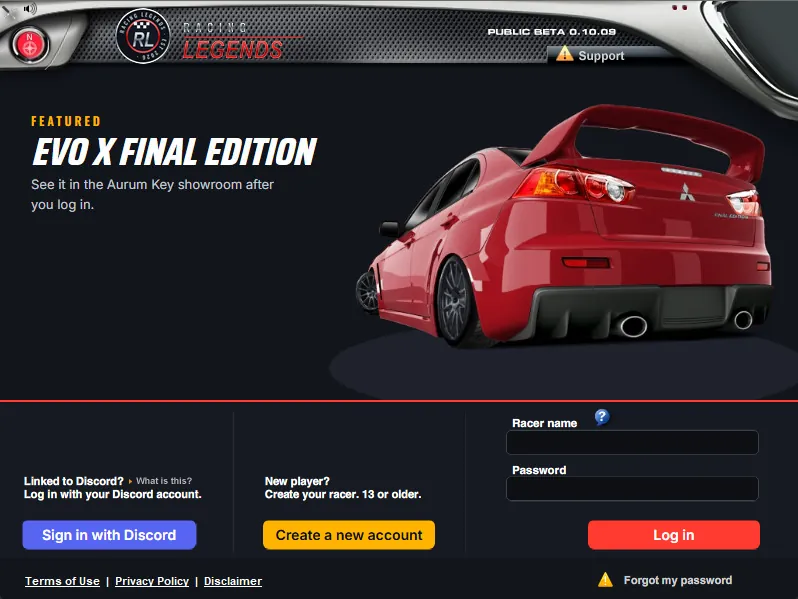
The game asks for your racer name and a password. If you signed up with Discord you have no password; use a one-time game code instead.
- On the website press Get a one-time game sign-in code (home page, Game code in the top bar or Edit profile, Security). You can also type /code to the Racing Legends bot on Discord or Telegram.
- In the game, type your racer name, then type the 8-character code in the Password box and press Log in. The code works once and expires after 5 minutes.
- Linked to Discord? Press Sign in with Discord on the login screen instead, approve in your browser and the game logs you in.
Never share a game code. Staff will never ask you for one. You get a small daily login reward each day you play.
6. The city map
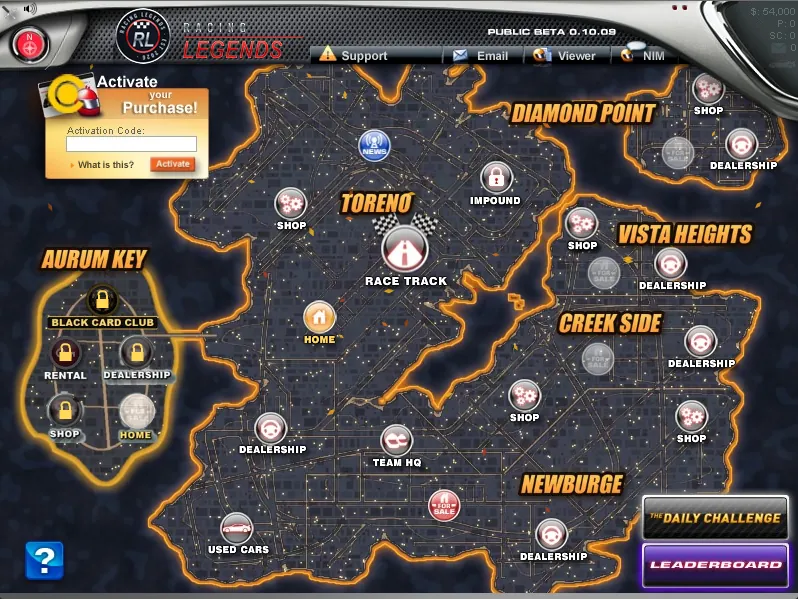
After login you see the city map. It is your hub for everything in the game.
- Cities: Toreno (start), Newburge, Creek Side, Vista Heights and Diamond Point, plus Aurum Key for VIP members. Each city has a Shop and a Dealership; better cities have better parts and cars.
- Home: your profile, garage and account. Race Track: every kind of race. News, Impound, Team HQ, Used Cars, Daily Challenge and Leaderboard are pins on the map too.
- Top bar: Support (help center and reports), Email (in-game mail), Viewer and IM (instant messages). Your money, points and Street Credit are top right.
- Activate your Purchase! (top left) is where you redeem a store code in game.
- The blue ? button in the corner starts a guided tour of the screen you are on.
7. Move up to a better city
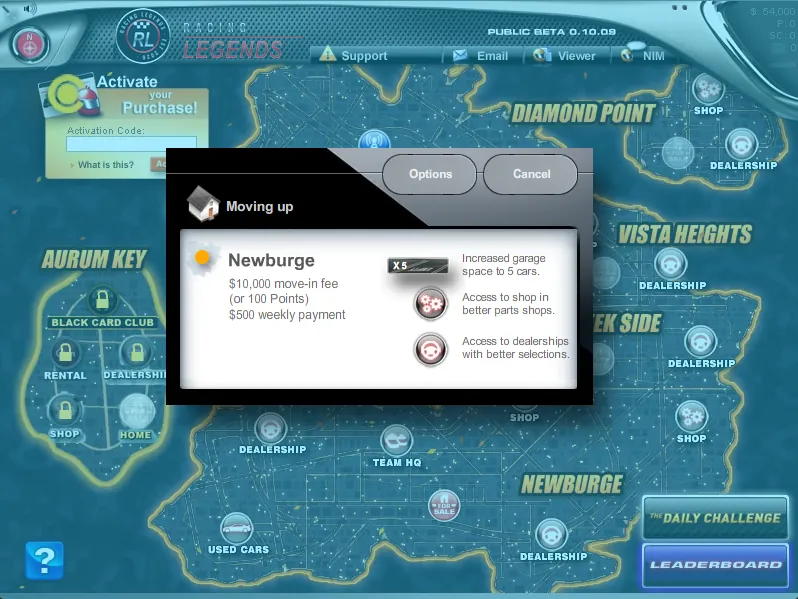
Click a city you do not live in yet to see what moving costs: a move-in fee in money or points and the Street Credit you need. Bigger cities give you more garage space and better shops and dealerships.
| City | Move-in fee and Street Credit needed |
|---|---|
| Toreno | Free, 0 |
| Newburge | $10,000, 500 |
| Creek Side | $50,000, 2,000 |
| Vista Heights | $150,000, 5,000 |
| Diamond Point | $500,000, 10,000 |
| Aurum Key | VIP members only, from Diamond Point: $1,000,000, 20,000 |
Earn Street Credit by racing; see Street Credit.
8. Home: profile, garage and account
- Profile: your racer card, buddies, remarks from other racers, team status and trophy room. Pick a background color for your card.
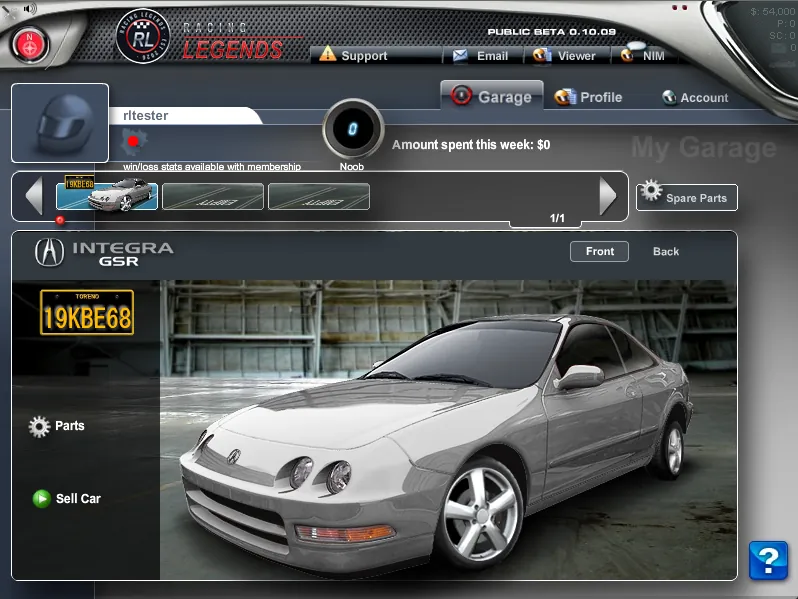
- Garage: your cars. Set your active car, look at its parts and specs.
- Account: your membership and account settings.
9. Buy a car at the dealership
- Click Dealership in your city.
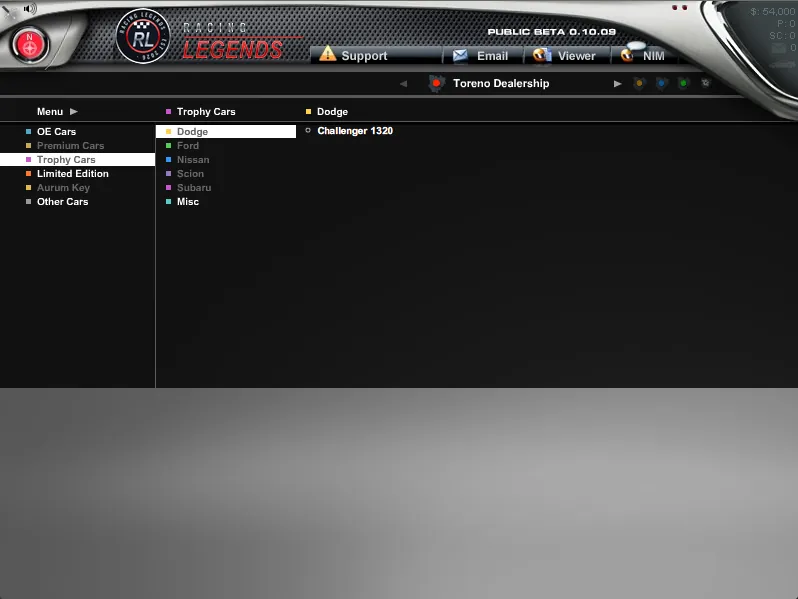
- Pick a list on the left: OE Cars, Premium Cars, Trophy Cars, Limited Edition, Aurum Key or Other Cars. Lists you cannot use yet are greyed out.
- Choose a car and a color and buy it with money or points.
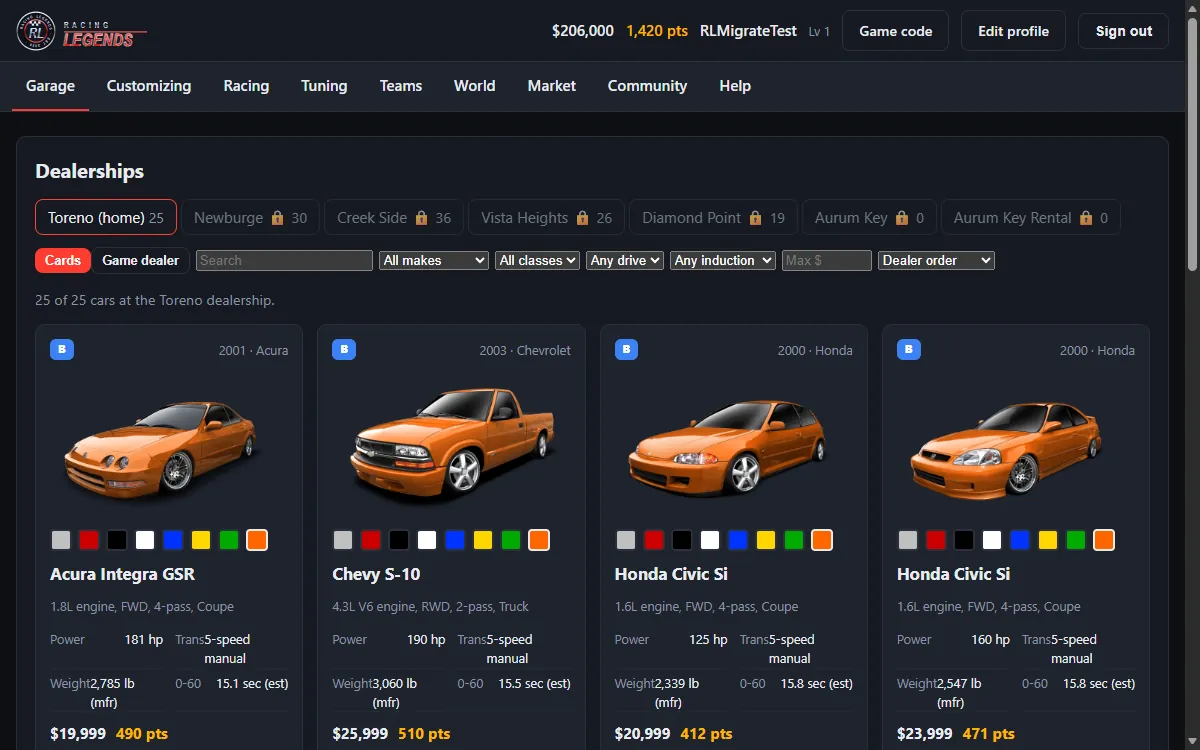
You can buy in your own city or any lower city. The website Showroom shows the same cars and prices.
10. The Used Car Lot
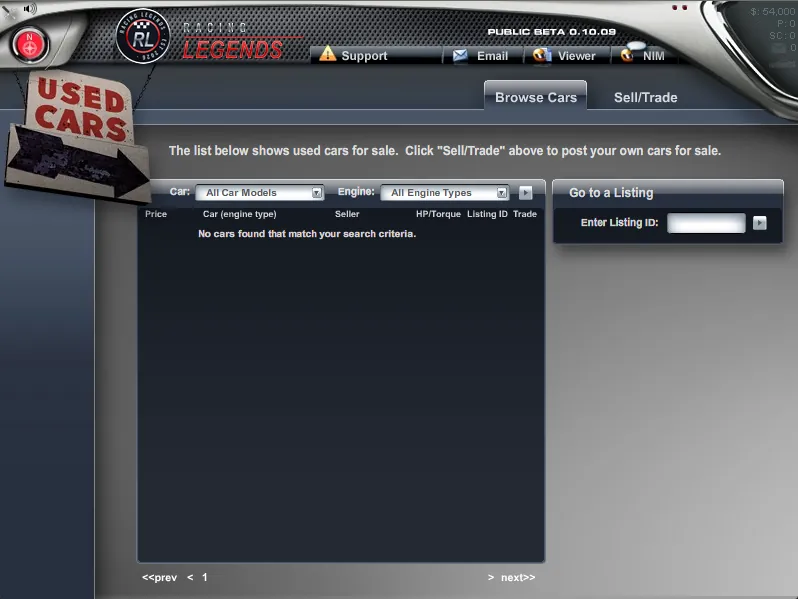
Racers sell and trade cars with each other here. In game, click Used Cars on the map: Browse Cars to buy, Sell/Trade to list your own car. On the website the same lot is under Market, Used Car Lot, with tabs for browsing, your listings, selling, trades and history.
11. Parts, paint, graphics and repairs
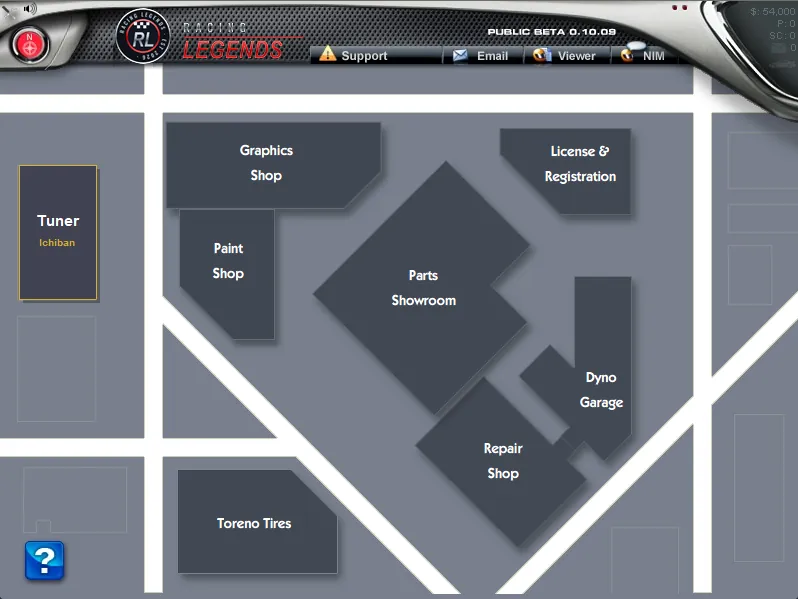
Click Shop in your city. The shop district has:
- Parts Showroom: buy engine, power, drivetrain, suspension and body parts and install them. Spare parts stay in your inventory and can be sold.
- Paint Shop, Graphics Shop (custom panel art, see Custom graphics) and Toreno Tires for wheels and tires.
- Repair Shop to fix damage and License & Registration for plates and vanity plates.
- Dyno Garage to measure and tune your car, and the Tuner (Ichiban) for help with a build.
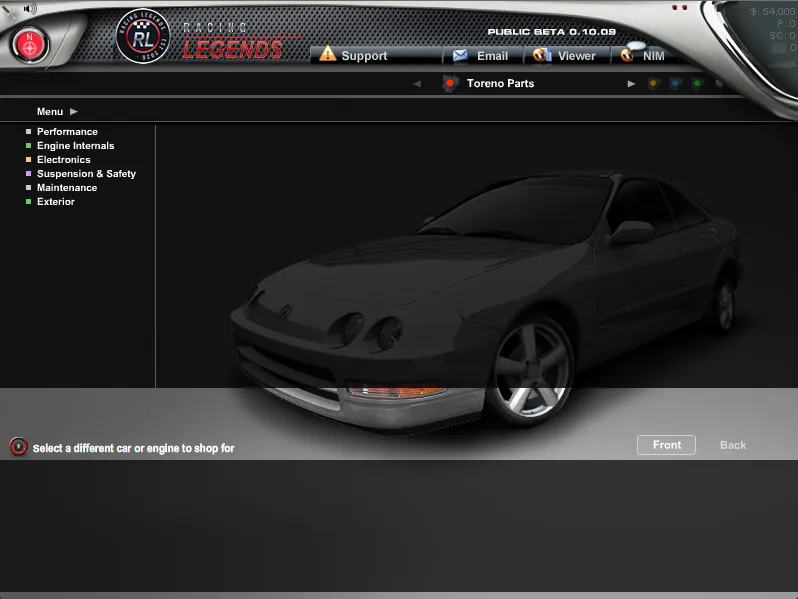
A car is naturally aspirated, supercharged or turbocharged, never both: the shop refuses a second power-adder. Engine swaps fit only the cars they are listed for.
12. Dyno and tuning
- In game: Dyno Garage runs your car on the dyno and lets you set boost, air/fuel ratio, shift light RPM and gears.
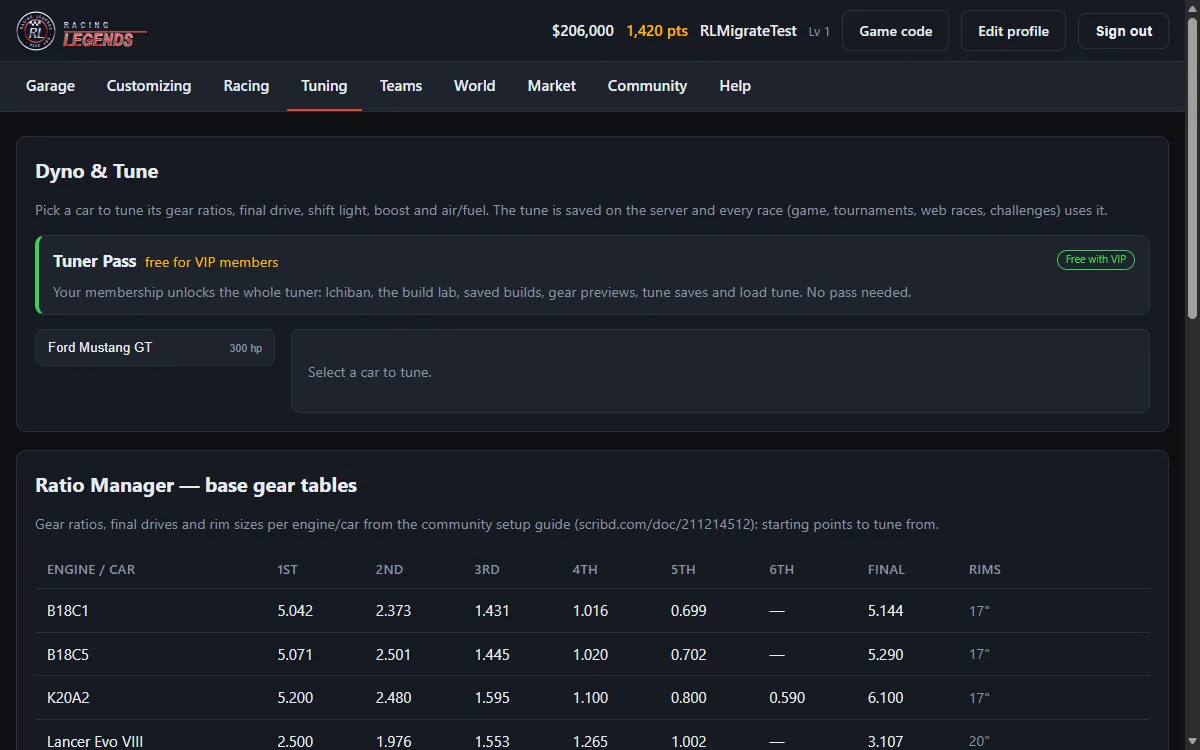
- On the website: Dyno & Tune shows your power curve, gear chart and predicted ET. Saving a tune needs a Tuner Pass (24 hours, money or points; free for VIP). A new gear set has its own price.
- Test Track runs a practice pass on the real race engine.
13. Race
Click Race Track on the map. Every race is decided by the server from your car, your tune and your reaction time.
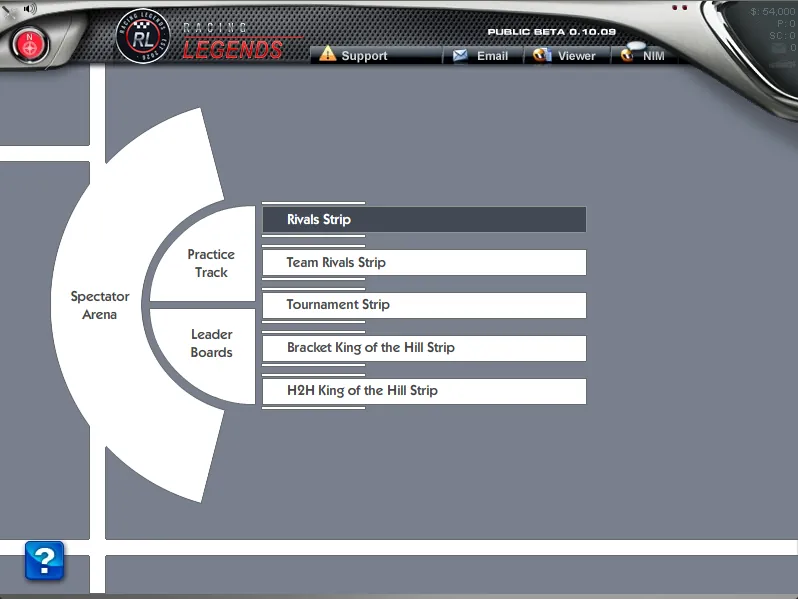
- Practice Track: run alone to learn your car.
- Rivals Strip: head-to-head races against other racers in rooms like Rookie Street and Pro Circuit. You can create your own room, also private with a password.
- Team Rivals Strip: team against team.
- Tournament Strip: tournaments with a qualifying run and a 32-racer bracket. See Special events.
- Bracket and H2H King of the Hill Strips: stay on top as long as you keep winning.
- Bets: race for fun, for money or for pink slips (the loser's car). Read Betting first.
- Daily Challenge: one challenge a day from the map.
- Black Card Club on Aurum Key: VIP high-stakes rooms.
Your race history, best ET and reaction times are on My Races.
14. Teams
Join or create a team from Team HQ on the map or on the website Teams page. Team members share team funds; leaders and officers manage members and withdrawals. Full rules: Teams.
15. Points, membership, VIP and codes
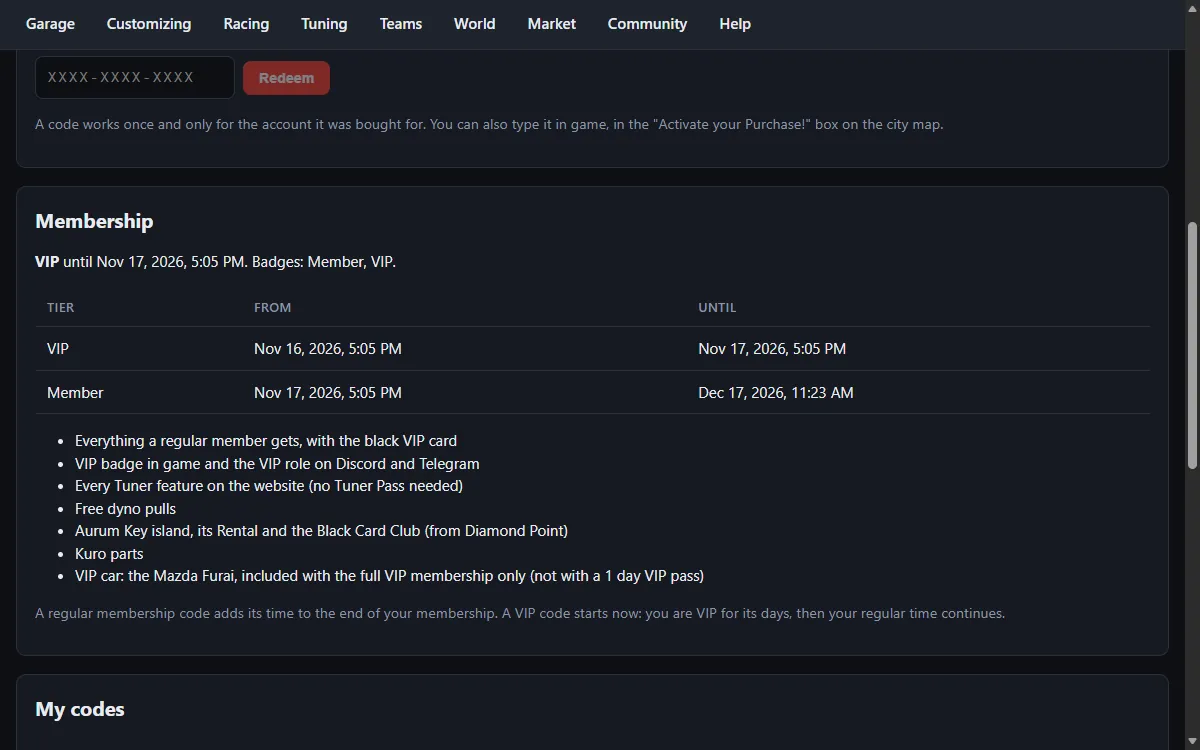
- Points buy points-only parts and special cars. Membership adds perks and win/loss stats; VIP adds the Aurum Key island, the Black Card Club and a free Tuner Pass. Details: Store.
- Packs are delivered as single-use activation codes. Redeem a code on My codes (Redeem a code) or in game in the Activate your Purchase! box on the city map.
- My codes also shows your membership time and the codes delivered to you.
16. Badges, Street Credit and leaderboards
- Badges show on your racer card: city badges, Veteran, Member and VIP, event and team badges. Some are earned automatically, some are awarded by staff for events.
- Street Credit is your racing reputation; it unlocks cities. See Street Credit.
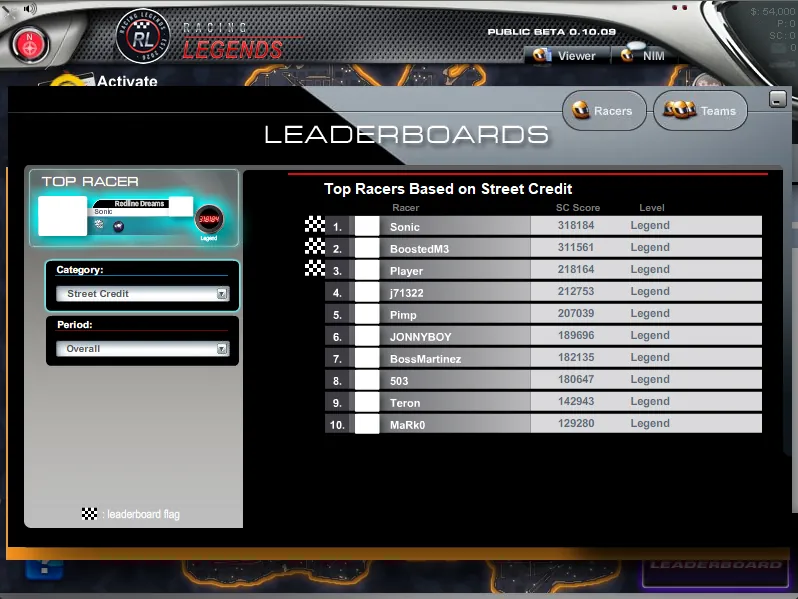
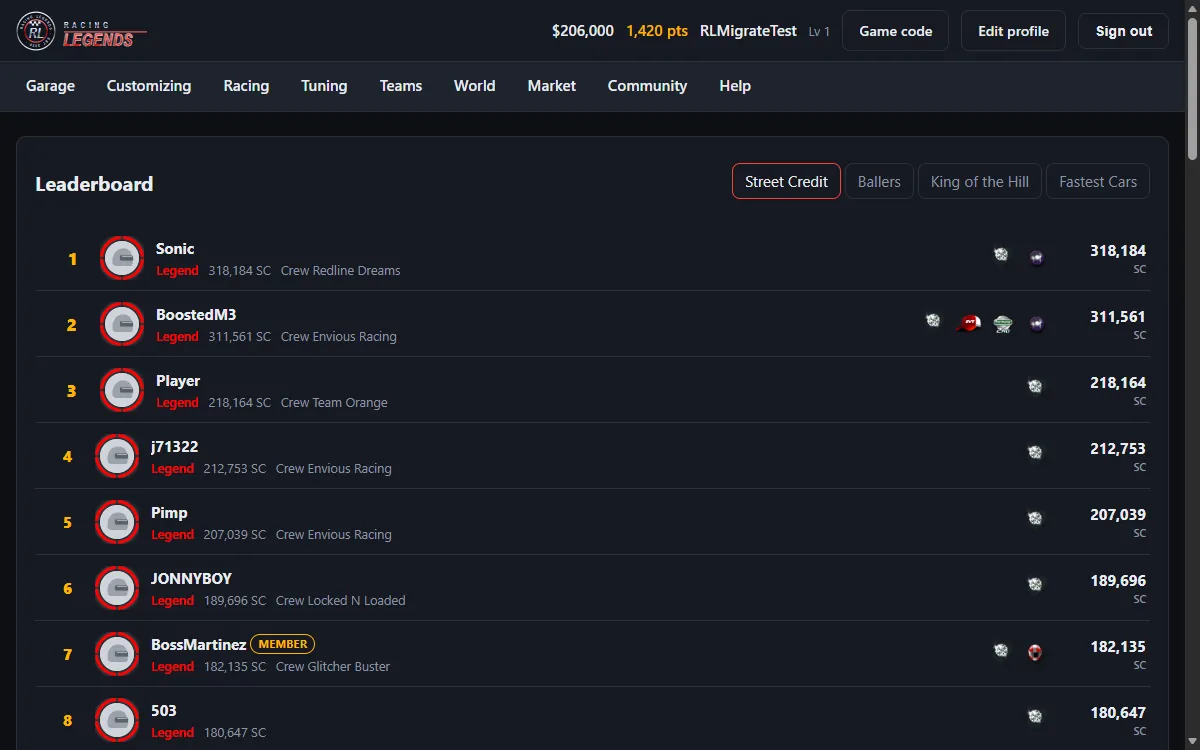
- Leaderboards: Leaderboard on the city map in game, and Leaderboard on the website with the Street Credit, Ballers, King of the Hill and Fastest Cars tabs. Click a racer to open their racer card. Racer Spotlight features racers each week.
17. Your profile and settings
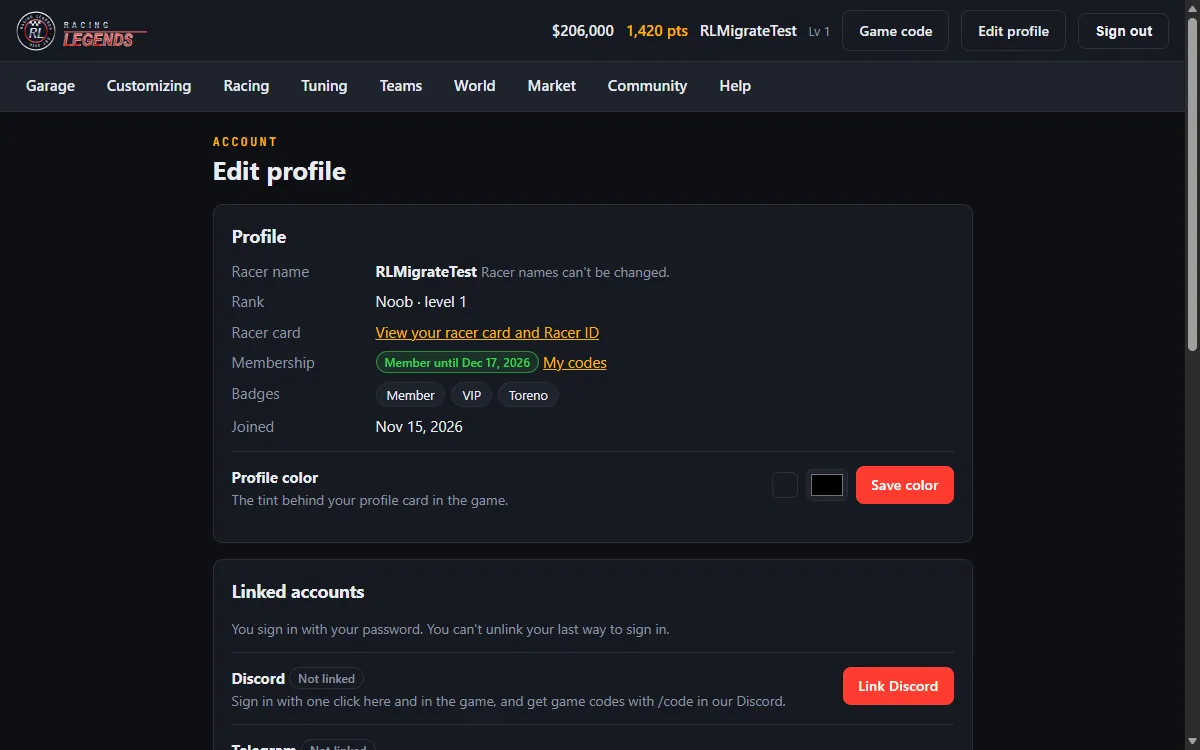
- Edit profile (top bar on the website): your rank, membership, badges and the color behind your in-game profile card.
- Racer card: View your racer card and Racer ID opens your official racer card. From your own card you can download your Racer ID as a printable PDF; anyone can check a Racer ID on its public check page.
- Linked accounts: link or unlink Discord, Telegram and wallets. You cannot unlink your last way to sign in.
- Security: get a game sign-in code, sign out of every other session (this also closes the game) and see your recent sign-ins. A sign-in you do not recognise? Sign out other sessions and contact support.
18. Bring your garage from another server
Coming from open1320? Bring your garage imports your cars once.
- Press Get my code.
- Post the code as a remark on your own profile on the other server.
- Press I posted it: verify, check the preview and confirm.
Each account can import only once, and each source account only once. Rare cars wait for a staff check; points and memberships do not carry over.
19. Mail, chat, Discord, Telegram and the forum
- Email in the top bar is in-game mail. IM and the room chat are for talking to other racers.
- Discord and Telegram: link them on your home page, then use Join our Discord or Join our Telegram for your personal invite. Each racer has 5 invites to share (see Invites).
- The Forum is open to read; sign in to post.
20. Get help or report a problem
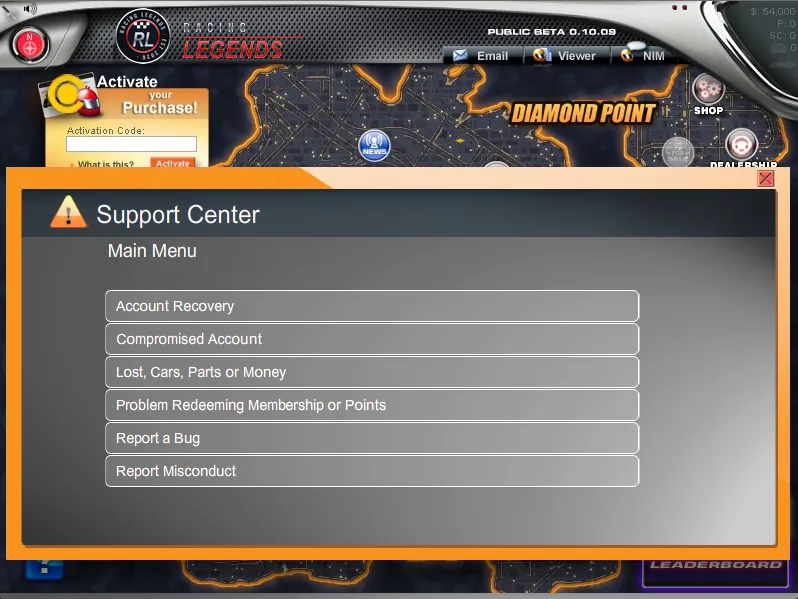
- In game: click Support in the top bar. Pick the topic: Account Recovery, Compromised Account, Lost Cars, Parts or Money, Problem Redeeming Membership or Points, Report a Bug or Report Misconduct.
- On Discord or Telegram: /support open starts a ticket, /support mine lists yours and /report reports a message or a racer.
- Staff reply by in-game mail and on Discord. Keep the ticket number.
Never send your password or a game code to anyone, including staff.
21. Rules
Racing Legends is for racers 13 and older. Read the Community Guidelines, the Terms and the Safety page. In short: be respectful, no harassment or hate, no cheats, macros or exploits. One person per account: never share, buy or sell accounts.
Breaking the rules can lead to a warning, a chat mute, a kick or a ban. The automatic moderator Ichiban watches chat in game, on Discord and on Telegram.